Indoor cycling for macOS and your phone

The indoor trainer app that doesn't send you a bill every month.

You bought the smart trainer. You bought the bike. FreeGaz drives them in ERG, level, slope or heart-rate mode, runs structured workouts and FTP tests, rides real roads, and keeps every second on your Mac as a FIT file. It costs nothing, now or later.

v0.5.0 pre-release · Apple Silicon · Free and open source (MIT)

FreeGaz Home: a velodrome seen from above with this week's rides lapping it, and a coach shouting from the infield through a megaphone

What it costs

  • $0a month
  • $0a year
  • 0trials ending
  • 0ads

No Premium tier, no annual plan with the cancel button four menus deep, and no "your trial has ended" email on the morning of your FTP test. The only thing it charges is your legs.

A quick tour

Ready to suffer?

Pick a ride and go

One big button, four choices: ride for time, free ride, a route or a workout. Your trainer and heart-rate status sit on top, so you know before you start.

Ride for time holds your watts from easy to sweet spot for 20 to 90 minutes. No forty-tab dashboard to decode before your warm-up.
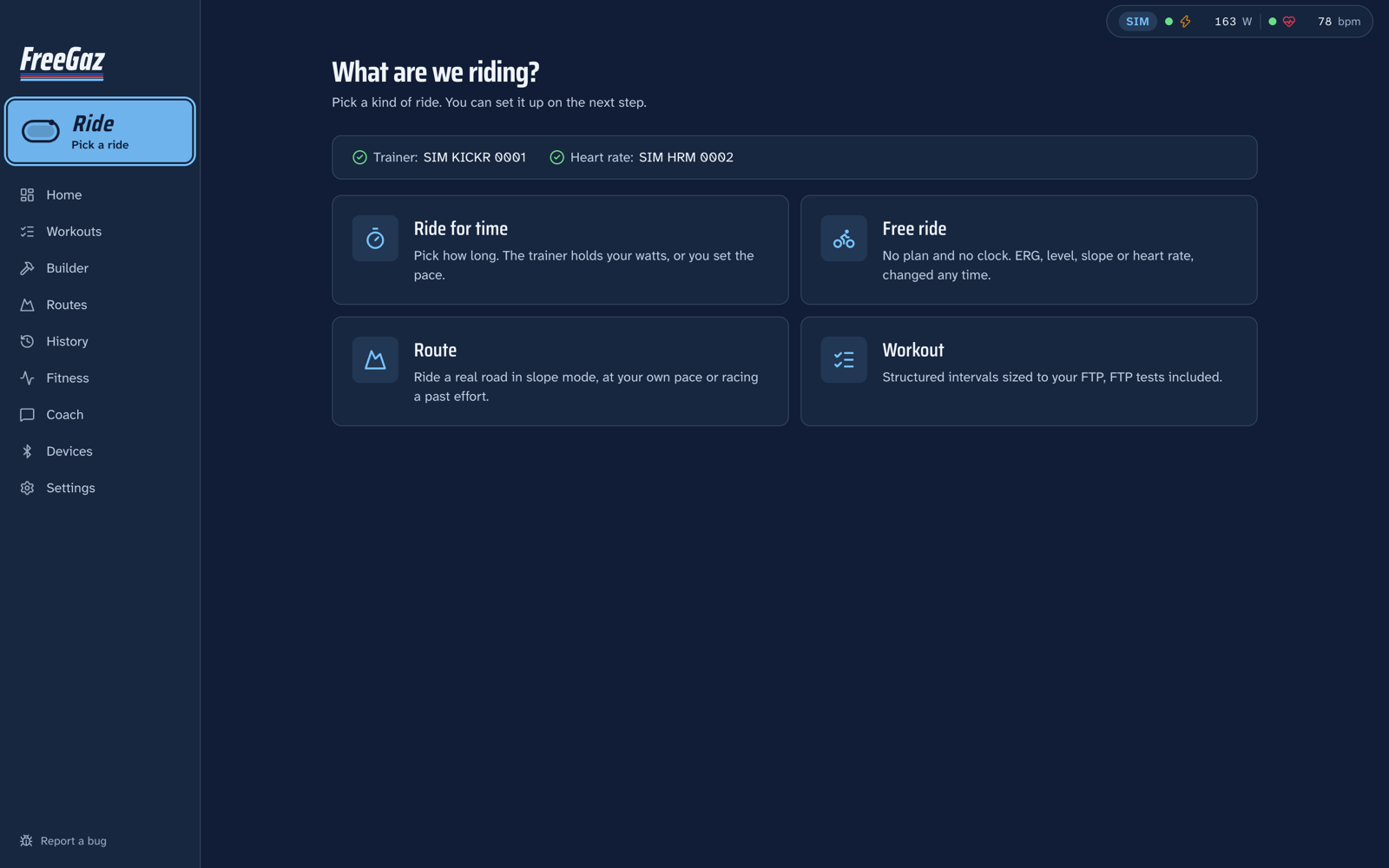
The Ride picker: ride for time, free ride, route or workout, with the trainer and heart-rate status on top

Your coach rides with you

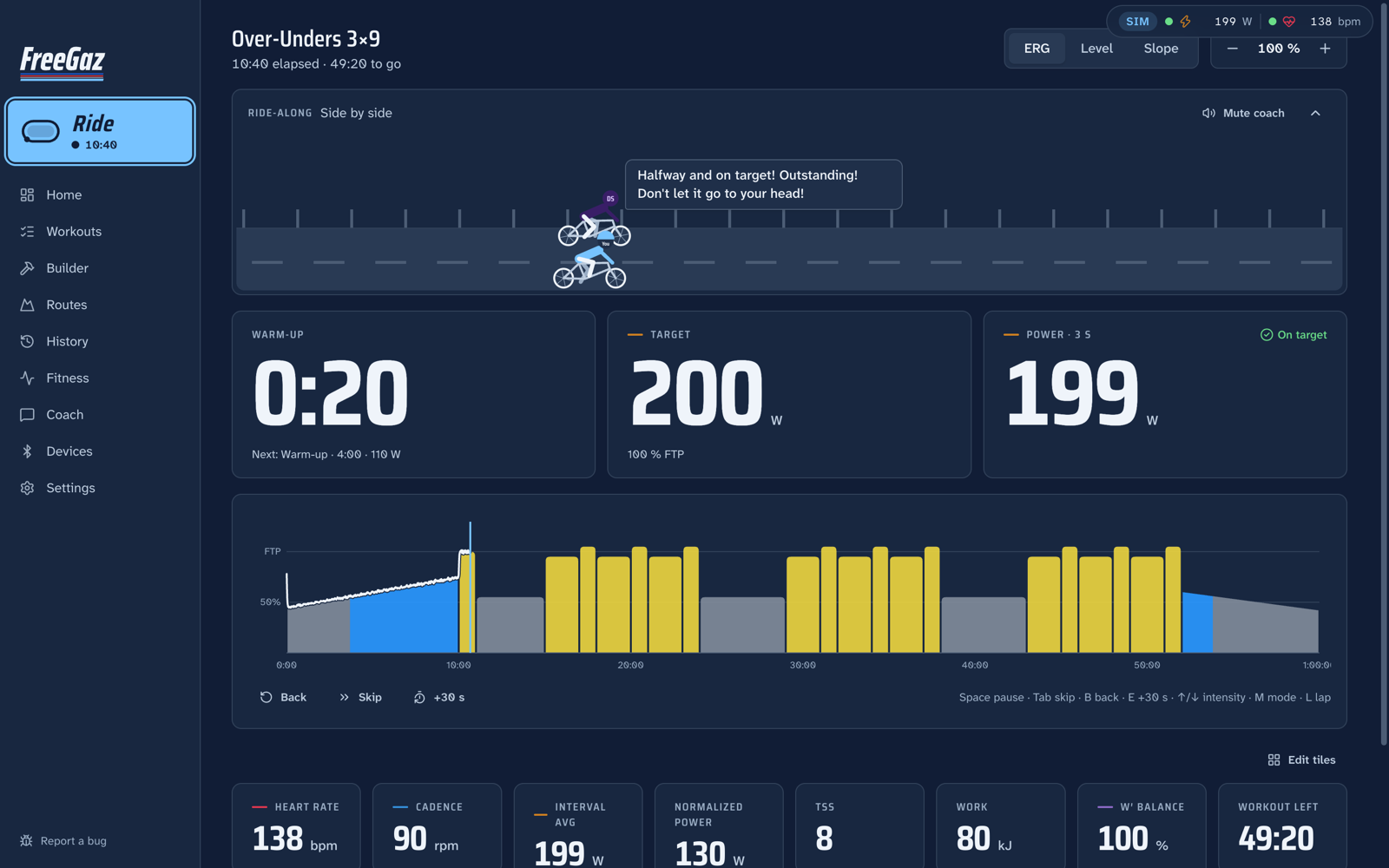
Your coach bikes next to you at your target. Ease off and they ride away and tell you about it. Push and you drop them, which is the best feeling in indoor cycling.

The big numbers stay big: interval, target and power, with the workout chart filling in as you go.

A workout mid-ride: the coach on the ride-along, the interval, target and power numbers, and the workout chart filling in

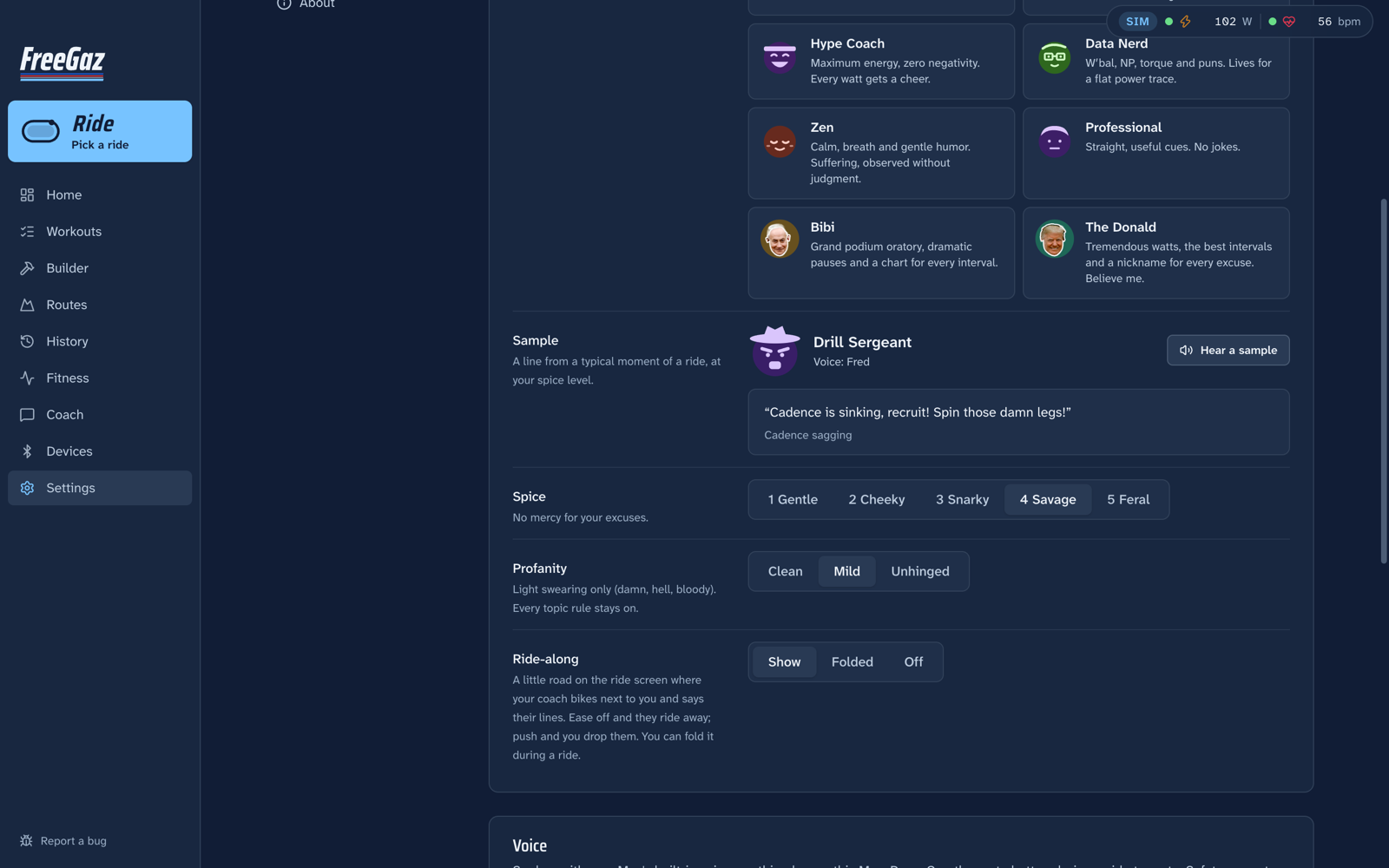
Ten coaches, five spice levels, three kinds of language

From a calm Zen master to a drill sergeant, a disappointed dad and a data nerd, plus two famous podium voices doing their best impressions.

Spice runs from gentle to feral. Profanity goes from Clean to Mild to Unhinged. Unhinged means it. Your body, weight and health are never joke material, and if your heart rate looks wrong every coach turns supportive.

Coach settings: the personas, a sample line, spice from gentle to feral, and profanity from clean to unhinged

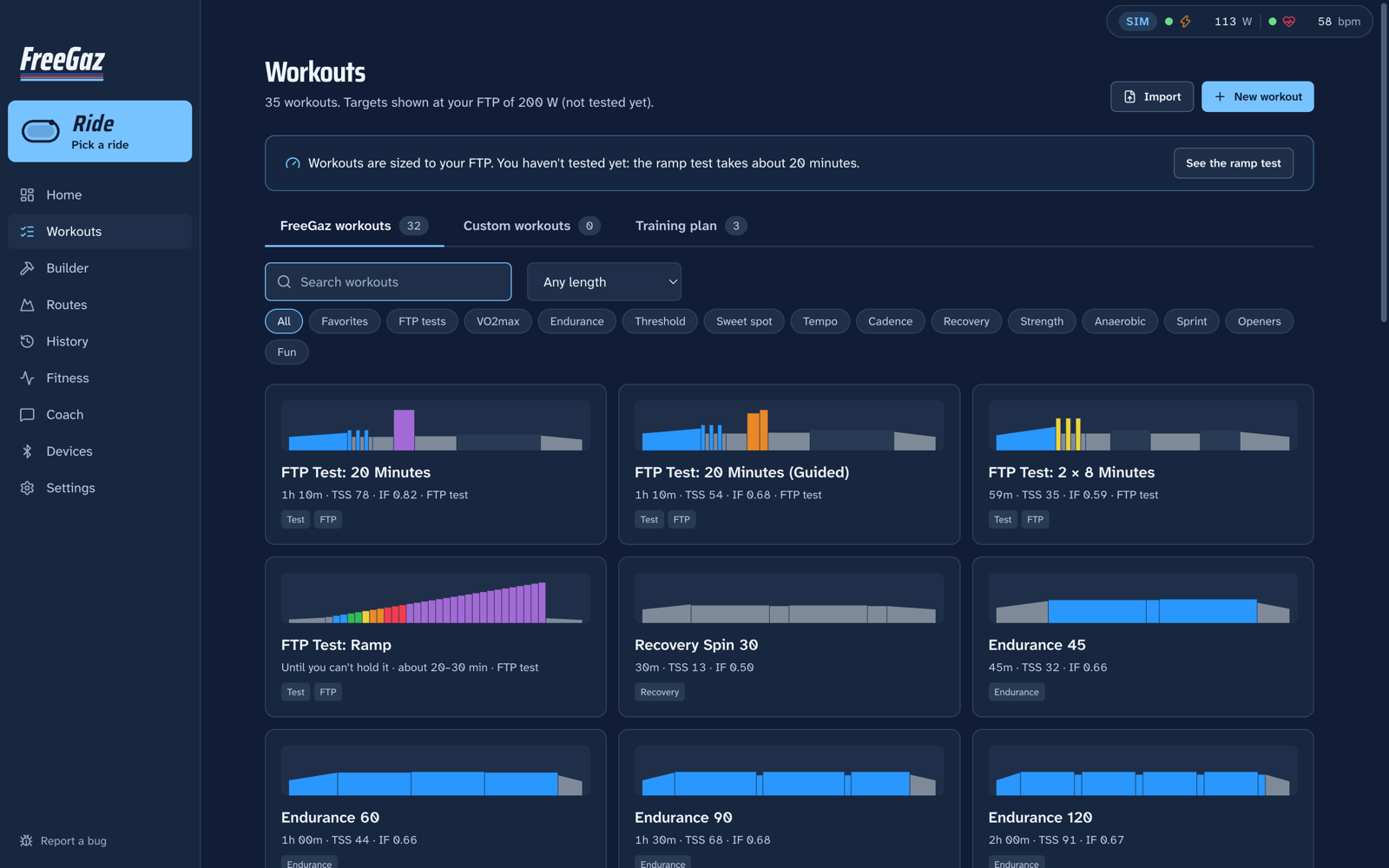
Workouts you can see before they hurt you

Every workout is drawn as its power profile at your FTP, on three shelves: FreeGaz's own, your custom ones, and a training plan you put in order.

There's an FTP test too: 20-minute, 8-minute or ramp. A valid result saves your FTP automatically, with one-click undo.

The Workouts page: every workout drawn as its power profile, with Custom workouts and Training plan tabs

And some your old app would never have shipped

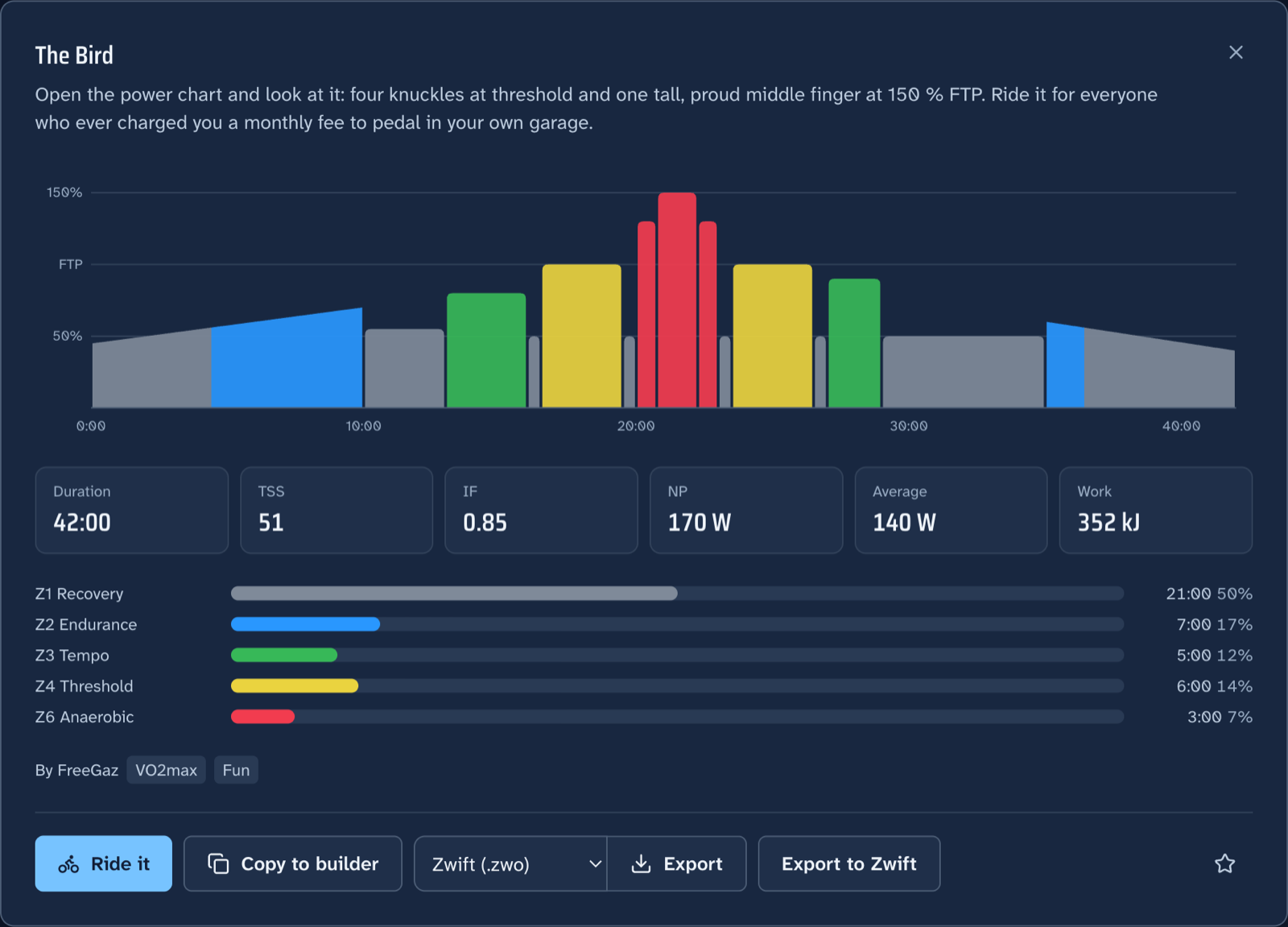
Eight rude workouts where the power chart is the joke. The Bird is four knuckles at threshold and a middle finger at 150 % FTP. Mount Stupid is the Dunning-Kruger curve. Stairway to Hell has no landing. Liar Liar says "last one" seven times.

The other four have names that don't belong on a homepage.

The Bird: a workout whose power profile is a hand with the middle finger raised, at 150 % FTP

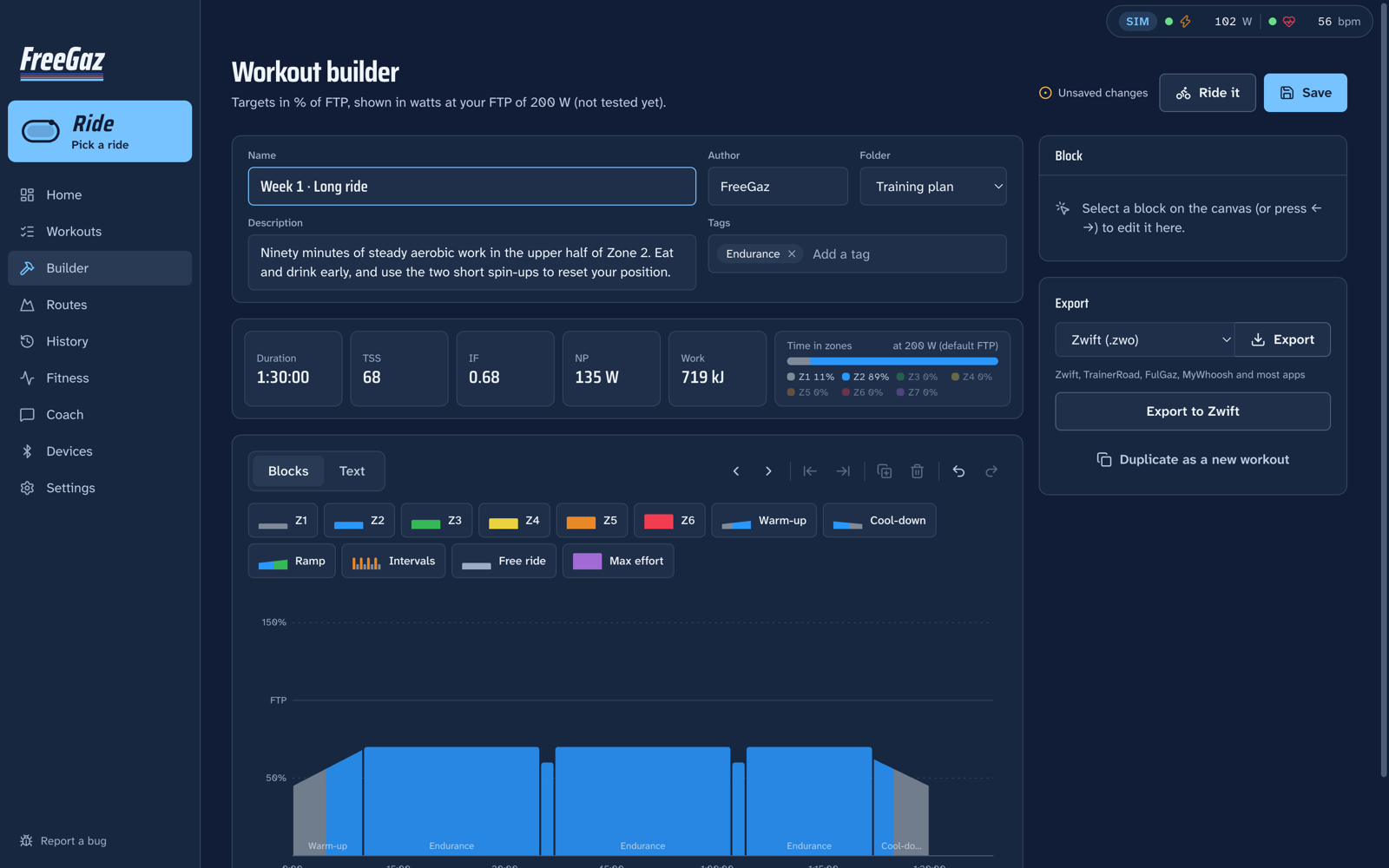
A builder for the ones nobody has written yet

Drag blocks, resize them, type intervals.icu text, or describe it and let the AI write it. Live TSS, IF and zone totals at your FTP.

Import .zwo, .mrc and .erg, and export straight into Zwift's custom workouts.

The builder: name, author and folder, live TSS, IF and zones, blocks you drag and resize, and export to Zwift

Real roads, real gradients

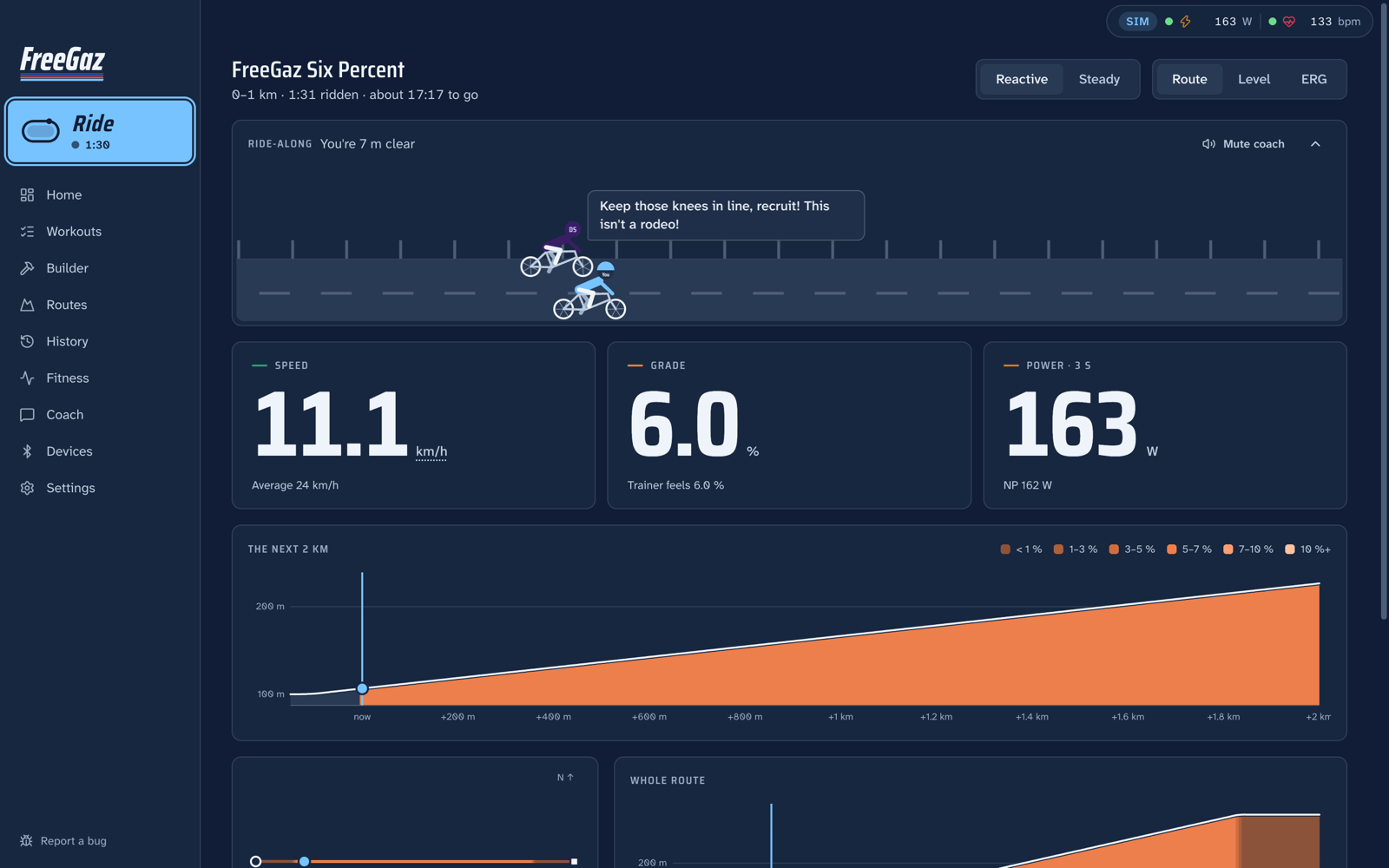
Import a GPX and the trainer climbs when the road does. Race a ghost of your last attempt if you're feeling brave.

Or turn on Journeys and ride somewhere real: Land's End to John o' Groats, the Danube, Route 66 or Tokyo to Hiroshima. Each ride picks up where the last one stopped, and lands on Strava with a map.

A route ride on a 6 % climb: speed, grade and power, the ride-along, and the next two kilometres of elevation

Everything it does

All of it, for nothing

Riding

  • ERG, level, slope and heart-rate modes
  • Soft start and a "spiral of death" guard
  • Skip, repeat or extend intervals; intensity in 1 % steps
  • Interval rescue when a hard rep is failing
  • FTP tests that save your FTP
  • GPX and TCX routes: reactive, steady or ghost race

Seeing everything

  • Over 40 HUD metrics in tiles you arrange
  • NP, IF, TSS, W′bal, L/R balance, DFA-α1
  • A mini-HUD that floats over Netflix
  • Phone remote by QR code
  • Spotify and Apple Music controls
  • Night and light themes, metric or imperial

Building workouts

  • A zwofactory-style drag-and-drop builder
  • intervals.icu text mode, synced both ways
  • Import .zwo, .mrc, .erg
  • Export to Zwift
  • Optional AI: describe it, then edit it

Coaching

  • Ten personas with faces and a voice
  • Spice 1–5, profanity Clean to Unhinged
  • The ride-along: pace them or drop them
  • Coach chat with Claude, OpenAI, Grok or Ollama
  • Mute with C; safety prompts still get through

Your history

  • A ride list or a calendar shaded by load
  • Fitness, fatigue and form; power curve; FTP history
  • A plain-English fitness overview
  • A FIT file for every ride
  • Import old Garmin and Wahoo FIT files
  • Full backup and restore as a zip

Works with

  • Bluetooth smart trainers (FTMS and Wahoo)
  • Heart-rate straps and Garmin HR broadcast
  • Power meters, speed and cadence sensors
  • Headwind fans, CORE and Moxy
  • Strava, intervals.icu and Garmin Connect (FIT)

Tested on a Wahoo KICKR and a heart-rate strap. Everything else follows the Bluetooth specs and is tested against a simulator.

Your data

Your rides stay yours

Everything lives on your Mac: the ride database, plus a FIT file per ride in ~/Documents/FreeGaz/Rides. Point that folder at iCloud Drive for free sync.

Nothing leaves the machine unless you connect Strava or intervals.icu, turn on an AI provider, or send a bug report. API keys are encrypted with your macOS Keychain.

On your phone

No app store involved

Open FreeGaz in your phone's browser and add it to your home screen. It gets its own icon, opens full screen and works offline, which is handy, because the pain cave never has Wi-Fi.

Android (Chrome)

The full experience, trainer included.

  1. Open the link in Chrome.
  2. Tap ⋮ → Add to Home screen → Install.
  3. Open More → Devices and pair your trainer and strap.

iPhone and iPad (Safari)

Everything except Bluetooth: Apple doesn't let any iPhone browser talk to trainers or straps.

  1. Open the link in Safari.
  2. Tap Share → Add to Home Screen → Add.
  3. Use the library, builder, history and coaches. Ride on the Mac or Android.

Open FreeGaz on your phone

Download

Get on the bike

Mac

Needs a Mac with Apple Silicon and Bluetooth.

  1. Download FreeGaz-0.5.0-arm64.dmg and drag FreeGaz to Applications.
  2. Open FreeGaz. It's signed and notarized by Apple, so macOS only asks the usual "downloaded from the Internet" question. Click Open.
  3. Quit Zwift and the Wahoo app so FreeGaz can control the trainer, then press Connect trainer.

Download for Mac

From source

Needs Node 24 or later.

git clone https://github.com/raytfitzgerald/FreeGaz
cd FreeGaz
npm install
npm run dev

No trainer handy? FREEGAZ_SIM=1 npm run dev runs it against a simulated KICKR and heart-rate strap.

Read the code on GitHub · Report a bug